

If you've built an agent this year, there's a good chance it answers questions or helps someone write, summarise or find something. That's what most organisations build first, and it's what we see across the organisations we work with. It's the first trend in our second AI wave session, because the shift is happening just behind it.
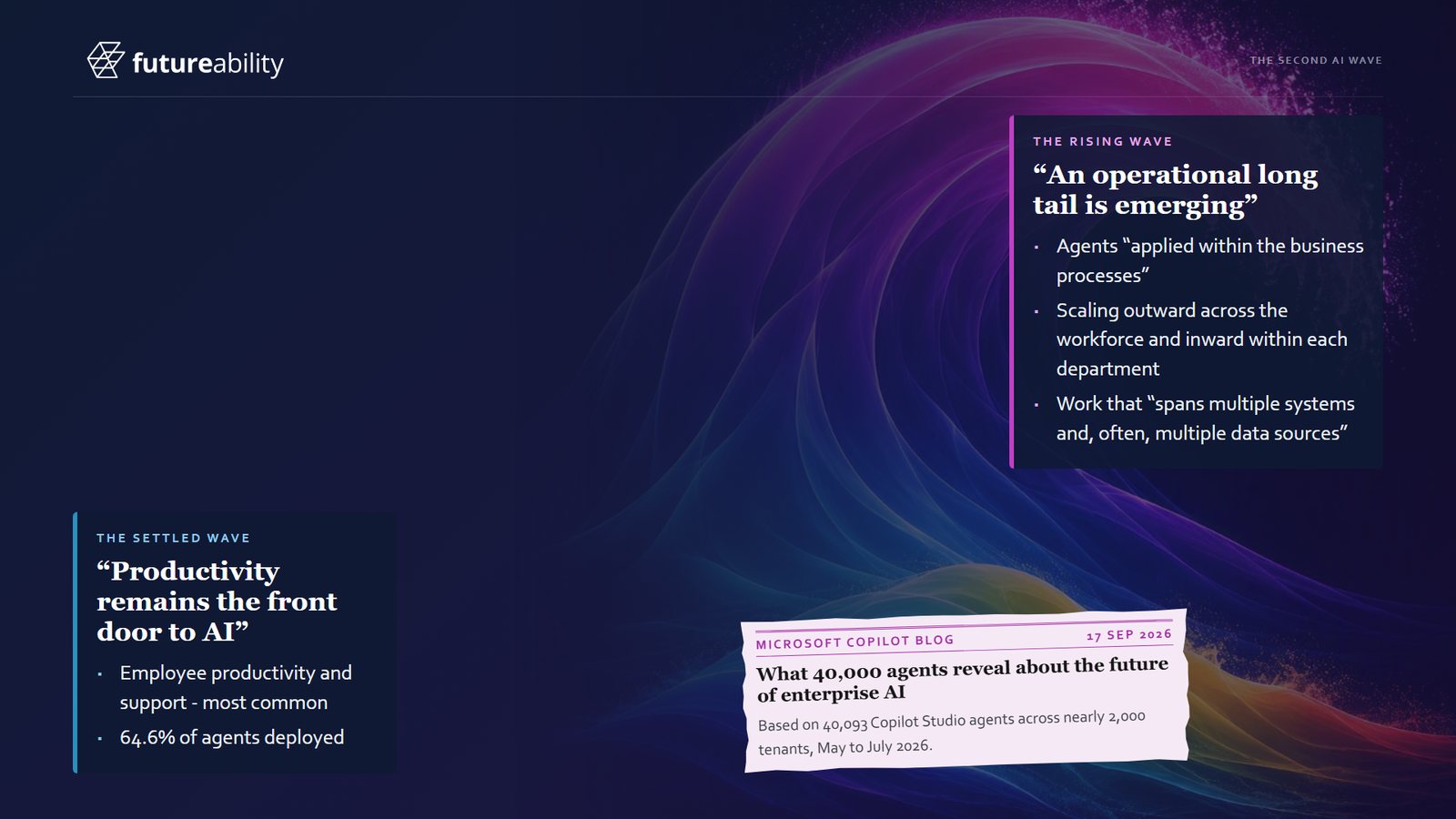
Most agents built so far are employee productivity and support agents: chat-style helpers that answer a policy question, draft an email or make sense of some data. In the Microsoft world that's Copilot. In a law firm it might be a legal AI product, and banking and other industries have their own. Whatever the brand, the personal productivity agent is the door most organisations walk through first.
It's also the part that looks much the same everywhere. Policy questions, drafting, data analysis and consistent file notes are needed by everyone in every organisation. It's a sensible place to start, and the value is real.
The front door has a limit. In the session, a lawyer at Hartley Hale & Marsh, whose contracts and lots are all invented, hands the contract read, the first four checks and the chase letter to her Copilot and gets time back on every contract. She was right to, but the matter took as long as ever, as the full story of her contract shows. Personal productivity speeds up a person without speeding up the process that person works in.
The rising wave: agents inside the process
Behind the front door is what you might call an operational long tail: many different agents, each doing a specific job inside a specific business process. They're less visible than a chatbot and much closer to where the work happens, and they're spreading in two directions.
- Outward across the workforce, with agents that apply to every department at once, such as style guides, brand voice and email coaching. We're getting a lot of requests for style guides at the moment.
- Inward within each department, with agents built around how one team works. We do a lot of this with finance, marketing and legal teams.
The work these agents do often spans several systems and data sources. A productivity agent mostly lives in one person's chat window. A process agent might pick up a contract from a shared mailbox, check it against a register, look the buyer up on the Australian Business Register, update a schedule and draft the reply. It's a different kind of build, and it comes with different questions: which steps need a person, which are simple rules, and what each run costs.
What this means for you
If your organisation has rolled out Copilot and people are using it, the front door is done. The next value is in the processes where people's time still goes, like the contract that lands in a shared mailbox and gets saved twice, keyed into another system, checked more than once and chased.
It's also where organisations differ. The front door looks much the same everywhere, and the way you serve your clients and your people is particular to you. Automating those processes well builds on what makes you different.
As you look for your first process agent, keep a few things in mind:
- Look at the whole process and ask how long the matter, request or invoice takes from end to end. How long one step takes matters much less.
- Avoid starting with the hardest thing. When people think up use cases they reach for the most complex process they have. An agent can handle it, but it becomes a big project, and a process with a mild bit of judgement in it is a far easier start.
- Get time with the people who know the work. Building is the easy part now, and an hour with the people who hold the process, the systems, the data and the rules in their heads is hard to come by, so the questions you ask in it matter.
Use a list of agent types as an idea starter
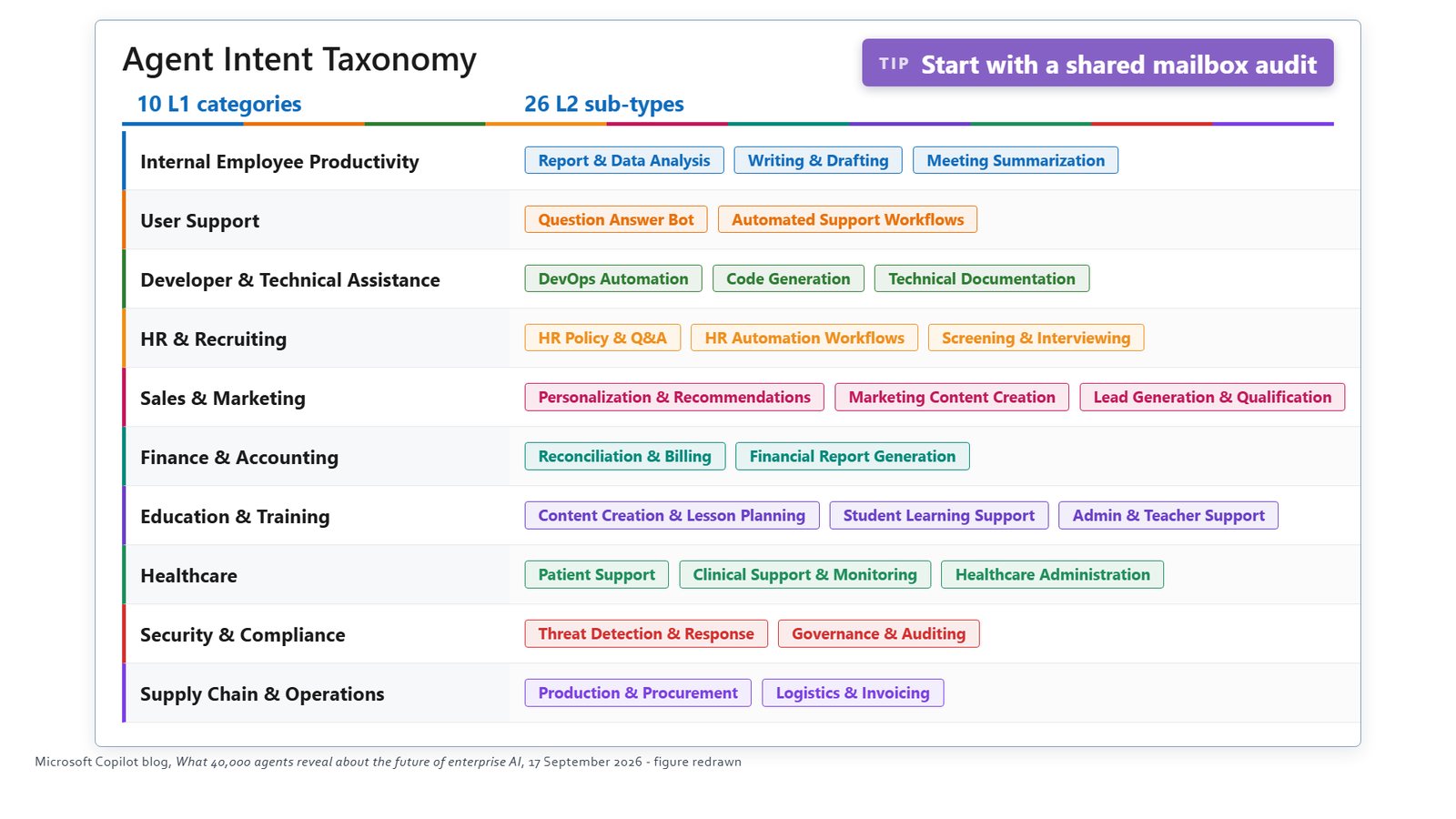
One slide in the session sorts agents by what they're built to do. Some of it is familiar front door work: drafting, meeting summaries and question and answer bots. Read further, though, and finance and accounting has reconciliation and billing, HR has automation workflows, security and compliance has governance and auditing, and supply chain and operations has logistics and invoicing.
If you're short of ideas, go through it row by row and ask two questions of each: do we do this, and who owns it? You're looking for a row where someone can name the exact process straight away.
Start with a shared mailbox
If the list feels abstract, there's a simpler place to look: who in your organisation works out of a shared mailbox? A lot of business processes start with an email landing in one, whether it's a request, a contract or an invoice, and then a person reads it, triages it, keys it somewhere and chases it. The contract process in our demo started in a shared mailbox, and so did the contract renewal process we've been building for a national law firm.
Ask your IT administrator to run a shared mailbox audit showing which shared mailboxes you have and how much lands in each. Then pick a busy one and call the owner. Ask what arrives, how much of it, and what they do with each item. There's usually a lot of work behind it.
The mailbox audit is the cheapest of the techniques we use for finding ideas, and often the one that pays off best. The settled wave got AI in the door, and the rising wave is where it starts doing the work.