

About ten years ago, running a legal automation business, our founder Tony Brooks remembers thinking that the technology was there and we should be automating far more than we were. A decade later, people are still doing by hand work that could have been automated back then. The difference now is that the tools to do it properly have arrived.

That idea sits underneath "The second AI wave", the session we've run in Sydney, Hobart, Melbourne and, on 13 October, online. It grew out of Microsoft's Copilot Studio architecture bootcamp in London in September, run by Microsoft's Copilot Acceleration Team (CAT). These are the engineers who deploy Copilot Studio inside very large enterprises every day, and the sessions are practical in a way product launches rarely are. The terms used below are all in the glossary.
There's a lot of noise
In a single week in September the headlines ran from existential risk to the AI bubble to the jobs apocalypse being postponed. The products change faster than anyone can track. The announcements that mattered were quieter: billing for agents on Copilot Studio's newest harness started on 1 September, and skills can now be built once and reused across agents.
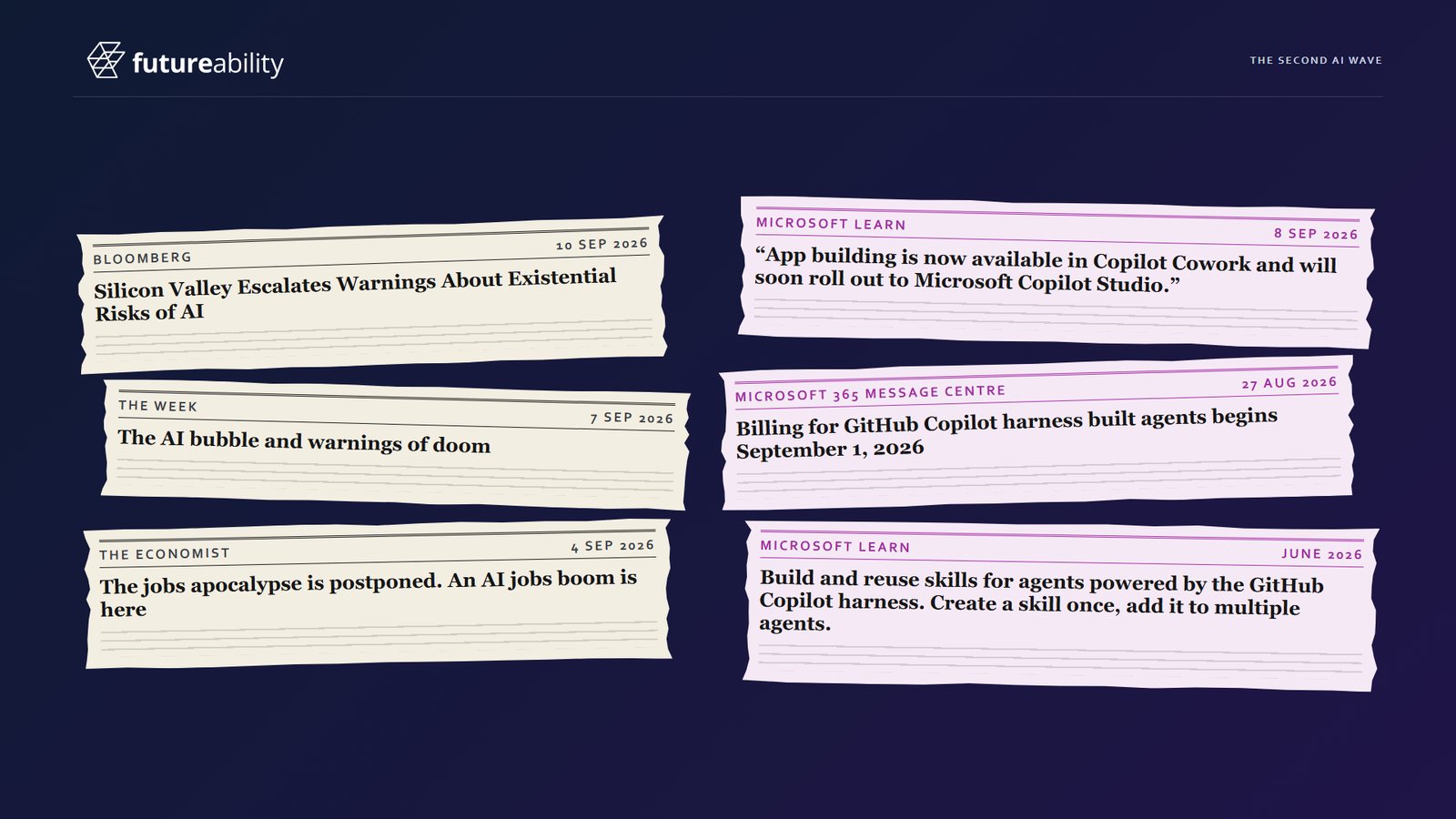
In all that noise it's easy to lose track of the work that should have been automated ten years ago. The session is organised as a grid: three trends, the technology that meets each one, and an action for each.
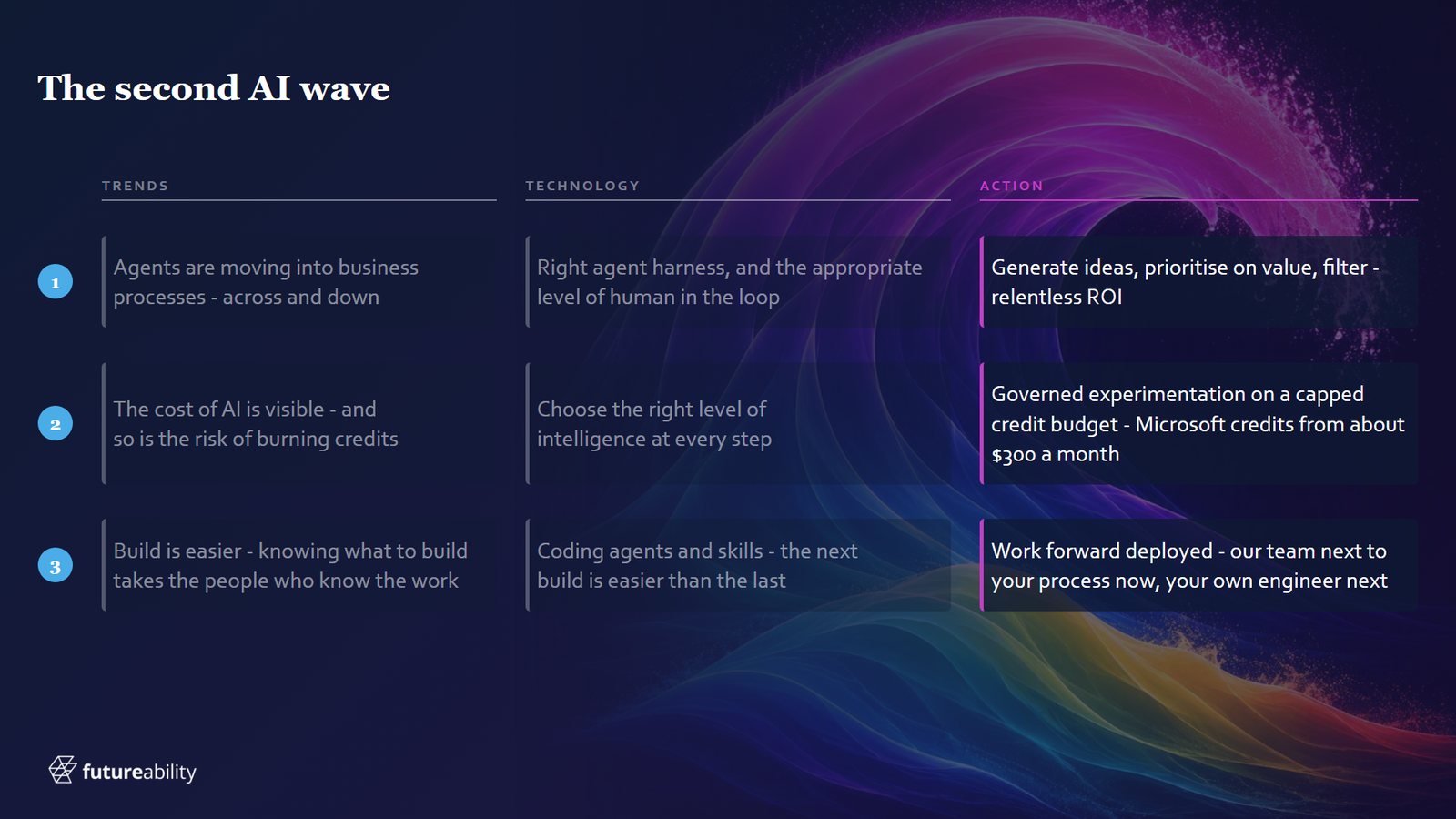
Three trends
The first trend is agents moving into business processes. Most agents built so far are employee productivity and support agents, the helpers that answer questions and draft, summarise and search. Behind those is a rising wave of agents working inside business processes, spreading across whole organisations and down into individual departments. For us that's mostly finance, marketing and legal teams, and our piece on the rising wave of process agents looks at where they're heading.
The demo makes the point with a lawyer at Hartley Hale & Marsh, a fictional commercial property firm built for the session. She hands the first few contract checks to her Copilot and saves time on every contract. She was right to, but the matter still took as long as ever, and the walk-through of her seven checks shows why.
The second trend is that the cost of AI is finally visible. Copilot Credits put a meter on every agent run, so anyone can now see what a badly built agent costs. The usual cause is a long set of instructions sent again on every turn, so the cost compounds and, past a point, the answers get worse as well. Why long instructions cost so much gets a piece of its own.
The third trend is that building has never been easier. The hard part is knowing what to build and getting time with the people who can tell you. The process, the data and the business rules live in their heads, and they're always busy. When you do get that hour, the questions you ask in it decide what gets built.
Three technologies that meet them
First, a word on harnesses. If the large language model is the engine, the harness is the vehicle built around it. Copilot Studio has three: the Copilot harness behind Agent Builder, the standard harness, and the GitHub Copilot harness, which is a different thing from the GitHub Copilot developers write code with. Each gets a section in our guide to choosing a harness.
The first technology is the right harness with the right amount of human in the loop. Because Copilot Studio sits inside Power Platform, people can approve a step from a button in Teams or an email, or supervise in an app that shows where they fit. We've written separately about where people sit beside an agent.
The second is a line from the bootcamp that has become our rule for design: choose the right level of intelligence at every step, no less and no more. Most of a process is if-this-then-that, and those steps belong in a workflow, which costs far less to run. The agent is kept for the steps that need reasoning, with a model chosen for each, so the model stays a part you can swap. We apply the rule to a whole process in our piece on matching intelligence to each step.
The third is coding agents and skills. The whole demo was built with a coding agent using plugins, which are really bundles of skills for building on Power Platform, and the low-code designer was opened only to review the result. A skill packages how to do one task, and only its name and description travel with every turn. After years of ideas that came and went, skills look like the one that stuck. Each one makes the next build easier, which is what we mean by the machine that builds the machine.
Three actions: now, next and later
Now: generate ideas, prioritise them on value and filter hard for return on investment. If you're short of ideas, ask your IT administrator for a shared mailbox audit, then ring whoever owns the busiest mailbox. We sort what comes out of it on a benefit and ease matrix.
Next: governed experimentation on a capped credit budget. Set up a Power Platform environment with only the tools and data you're comfortable with, and a capped allocation of credits, so learning can't turn into an open-ended bill. For most ongoing experimentation a capacity pack is the cheapest of the three ways to buy Copilot Credits.
Later: work forward deployed. Put an engineer who can talk both business and technology inside the business, and measure them on an outcome, such as less partner time on admin in a law firm. We recently did this on a contract renewal process for a national law firm, before we had a name for it, and the story is in our forward deployed engineering piece.
Where to start
Automation used to come with four verbs: analyse, eliminate, simplify, automate. Somewhere in the rush of the last two years they got lost. Getting them back starts with one shared mailbox: note what arrives, how much of it and what people do with each item. Pick one process from it and sit down with the person who owns it to ask what matters most to them, what a run would be worth and how often work gets redone today. Mark each step as a rule, a judgement call or a person, because that tells you where the workflow, the agent and the people go, and set up a sandbox with a capped credit budget so people can try it for real. The questions for that first sit-down are in our three questions before you automate.