

An expectation creeps into a lot of agent conversations at the moment. We'll automate the process with an agent and the agent will run it end to end, with a contract going in, a decision coming out and nobody touching it in between. We said it in our second AI wave session and we'll say it again here: that expectation is wrong. The agent does bits and people do bits, and because people do bits, the most useful thing you can give them is a roadmap of where they fit. Get the hand-overs wrong and the person who owns the outcome is left guessing what the agent did and why it's now their problem.
The agent won't run it end to end
Our demo runs on Hartley Hale & Marsh, a firm we invented for the talk that acts for developers selling lots on a site. Every contract goes through the same steps: read it, run a set of checks, update the schedule, decide, then issue the counterpart or write a deficiency letter.
Sort those steps properly and most of them are rules or register lookups that belong in a workflow. A few need an agent. One belongs to a person, because someone has to decide whether the firm goes ahead. We've written separately about how to do that sorting. This piece is about the other half: the steps that belong to people, and how they see where they fit.
Our shorthand for it is that the agent is responsible for the work and the person is accountable for the outcome. If you're accountable, you need to see the work. There are two levels of human in the loop we reach for, and the trick is matching the level to the process.
Sometimes a button in email or Teams is enough
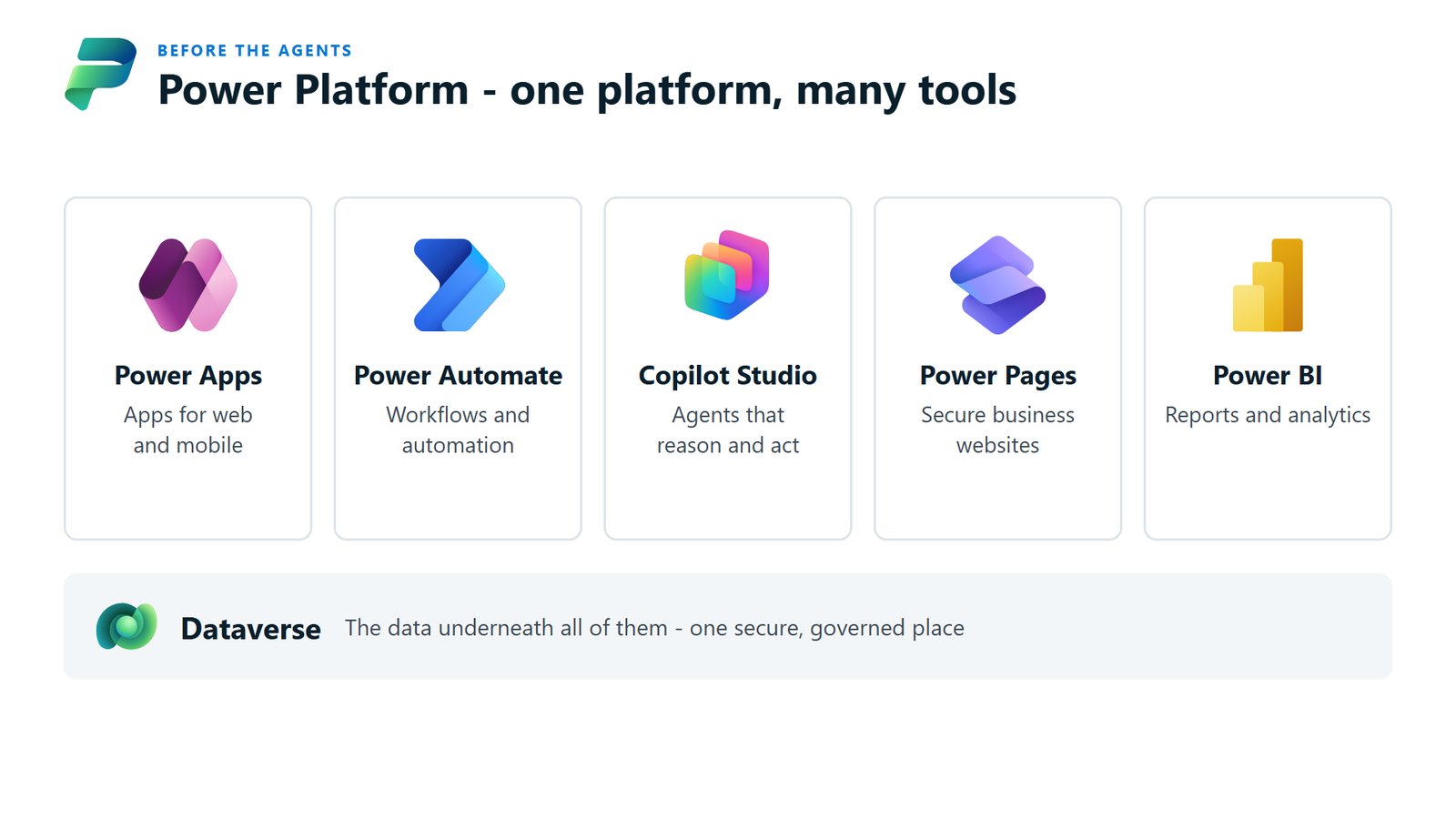
Workflows in Copilot Studio (think of them as Power Automate, evolved to work with agents) have a human review step. When the process reaches it, it pauses and reaches out to a person, or a group of people, by email or in Teams. You can even drop it into a Teams channel so the whole team sees it.
You give them buttons. They approve, reject or send back the information the process needs, right there in email or Teams, without opening another app. Then the workflow carries on.
There's a governance bonus, too. An instruction telling an agent to "always check with a person first" can be ignored. A human review step in the workflow can't be skipped.
For some processes that level of human interaction is plenty. If the decision stands on its own, the message can carry everything the person needs and the volume is modest, don't build anything else.
When you need a supervision app
For other processes we recommend a supervision app. In the demo, Hartley Hale & Marsh is selling 197 lots on one site. At that scale, people need to see the whole site at a glance, and why something stopped.
Everything sits in Dataverse, the database underneath Power Platform, so you can pull data in from anywhere and report on it. There's a margin tab that shows profitability. Three screens give people their roadmap:
- The workflow tab shows, for each lot, the contract coming in, the agent reading it and the checks running. Every step is marked as a rule (if this, then that), a register (a lookup, like the Australian Business Register) or agentic, so people can see what's already been done and exactly where they come in.
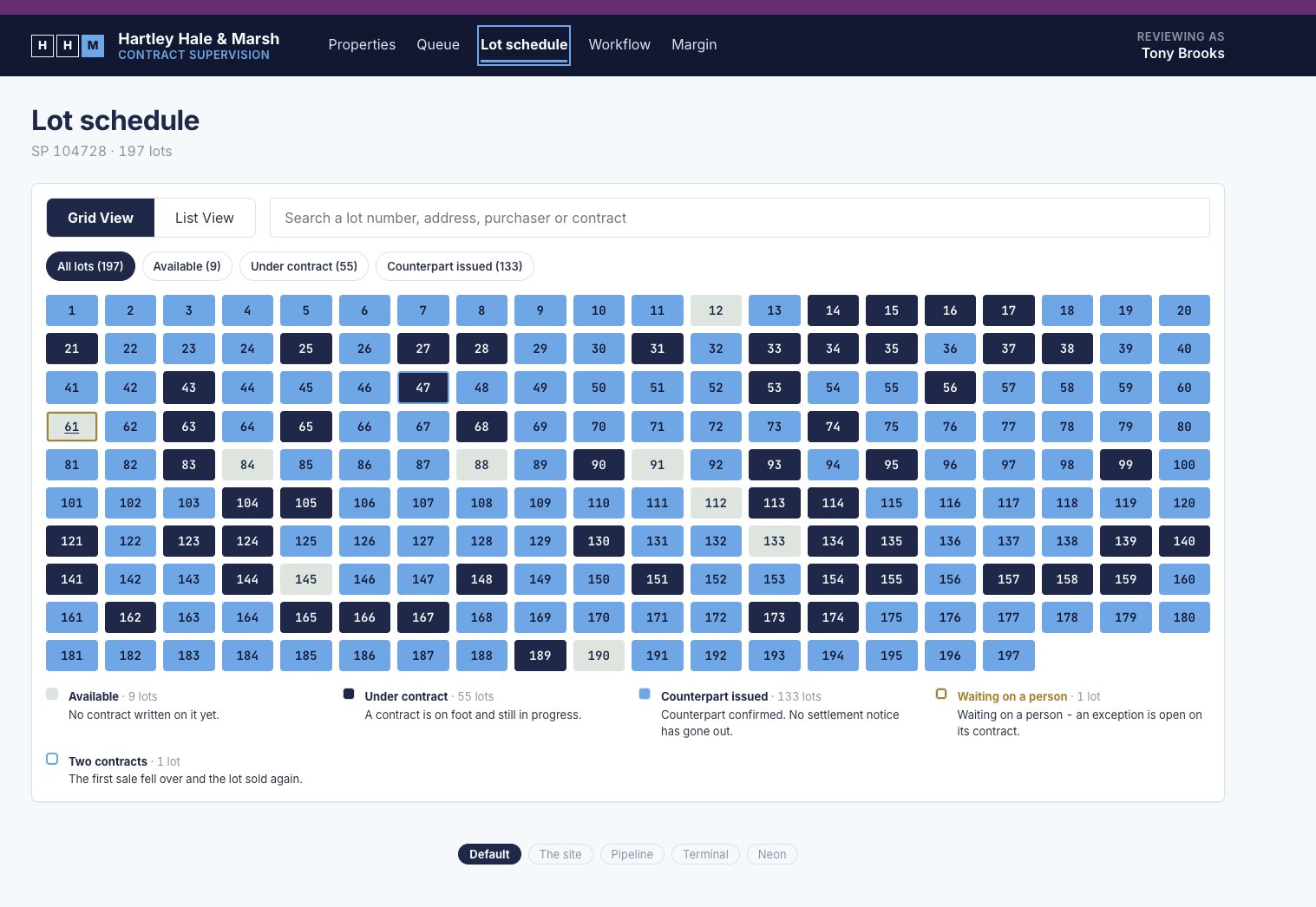
- The lot schedule is the screenshot at the top of this page: all 197 lots in a grid, coloured by where they're up to. When we captured it, 133 had the counterpart issued, 55 were under contract and nine were still available. One of those, lot 61, was waiting on a person.
- The exception queue is where the person does their part of the work.
Lot 61 is a good example. The contract came in at $890,000, and the approved price for that lot is $905,000. The screen says in plain words what stopped it, then shows what was checked: seven checks, each with whether it passed, what was found, when it ran, and whether a rule or a register lookup did it. Four were rules and three were register lookups, and one failed.
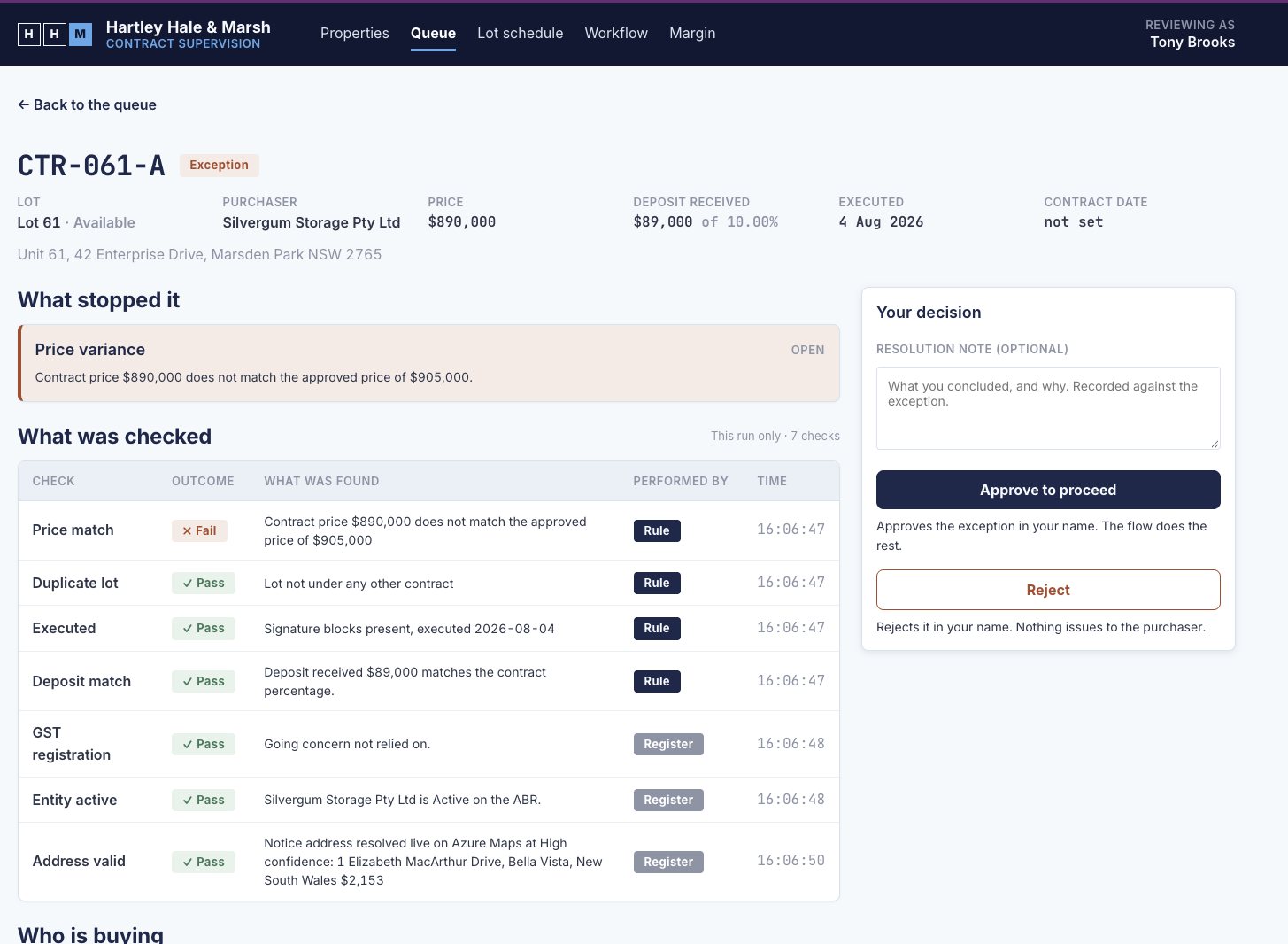
On the right is your decision. Approve to proceed, and the exception is approved in your name and the workflow does the rest. Reject, also in your name, and nothing goes out to the purchaser. There's room for a note on what you concluded and why, kept against the exception.
Supervision, as we mean it, works like this. You know where everything is up to without watching every step, and you're handed the decisions that are yours with the evidence attached. Microsoft is heading the same way with the agent feed in the Power Apps MCP Server.
Code Apps, and a portal on top
The supervision app is a Power App, though probably not the kind you're picturing. It's built with Code Apps, a newer style of Power Apps. You're building React apps (React is a popular way of writing web apps in code) inside the governed environment of Power Platform, with Dataverse and the connectors right there.
That gives you full control over what people see. The lot schedule doesn't have to be a grid. In the demo it switches to a site plan, a pipeline, a terminal and, yes, a full neon disco. The disco is a bit of fun, but the serious point is giving people a view of the automation that makes sense to them. It's a long way from what Power Apps used to be, and we're building a lot with it now.
Then there's the one people have chased for years: the client portal. Because the process keeps its data in Dataverse, it's straightforward to put an authenticated portal on top with Power Pages. For a law firm, that might be clients signing in to see where things are up to. If you work with a lot of contractors, it could be a portal for their invoices. We've built portals for brokers.
Map the hand-overs before you build
Before anyone writes a line of instructions, this is what we'd do:
- Draw the process and mark every step a person has to own: decisions, sign-offs, and anything costly or hard to undo.
- For each one, ask what the person needs to see to make that call. If it fits in a message, use a human review step with buttons. If they need the checks, the history and the bigger picture, that's a supervision app.
- Decide what gets recorded in their name, and where. Keep it in Dataverse, and the reporting and the portal can come later without starting again.
- Show the people who do the work today where they'll sit, before it goes live.
Done this way, most processes end up as a workflow, an agent step or two, and a person at the points that matter, and that combination is what moves the whole matter along faster.