

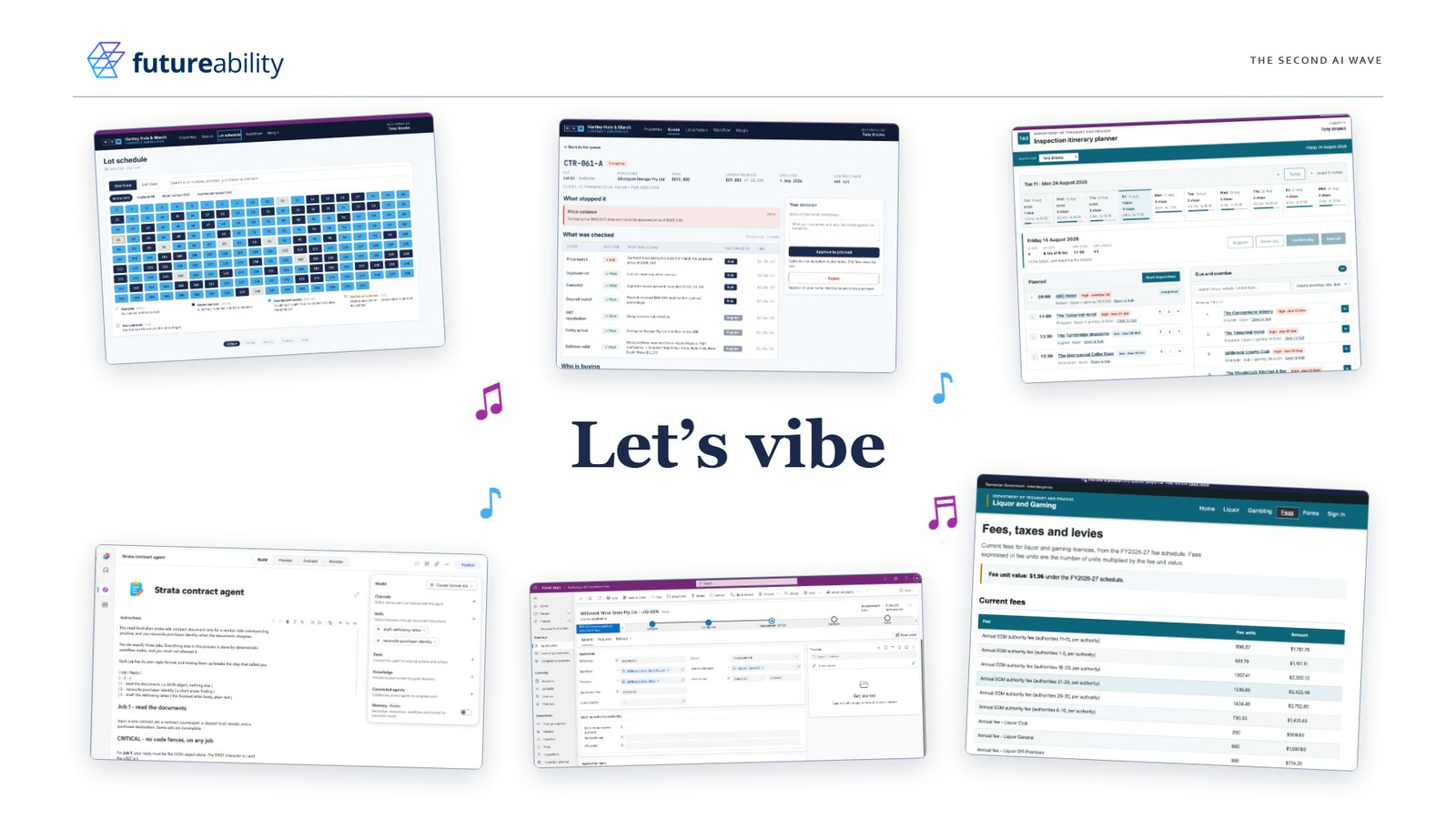
Partway through the online session of our second AI wave talk on 13 October, Tony Brooks asked who in the audience had vibe coded. Then he owned up. The demo everyone had just watched was vibe coded from end to end: the contracts for Hartley Hale & Marsh (the property law firm we invented so the agent had contracts to read), the agent that reads them, the workflow, the supervision app and the client portal. Nobody built anything in the low-code designer. It makes a good party trick, but the more useful part is what we built along the way, and how much easier it makes the next build.
Two weeks, and no designer
When most people say vibe coding, they mean opening a tool like Lovable, or Copilot in Power Apps, and asking it to build an app that does X, Y and Z. It's fun, and it has made prototypes cheap and fast.
We went about it in a more developer-like way, though still entirely through prompting. The build ran in Claude Code with plugins, where a plugin is a bundle of skills that line up with building on Power Platform. A skill is a named recipe for doing one task the same way every time, and we've written separately about why skills matter so much.
The designer only came out for review. We'd look at what had been built, note the changes we wanted, and take them back into Claude Code to make. All up it took about two weeks elapsed and roughly a week of actual effort, spread over a couple of days a week.
The supervision app shows what that produces. It's a Code App, a newer style of Power Apps: a React app written in code, running inside the governed Power Platform environment. You get pixel-perfect control, which is how the same lot schedule can show up as a site plan, a pipeline, a terminal or a full neon disco.
Write the skill that writes the requirements
This is the part that changed how we work. Instead of telling Claude what the requirements were, we had it write a skill for writing requirements, then used that skill to write them. The skill is still there for the next project.
The client portal went the same way. Microsoft and others have published skills for building Power Pages sites, so we didn't start from a blank page. We copied them, made our own version, built the site with it, then fed what we learned back into the skill. The next Power Pages site starts from a better place than this one did.
We now do that across everything we build. The skill gets built alongside the thing, and every build after it is quicker.
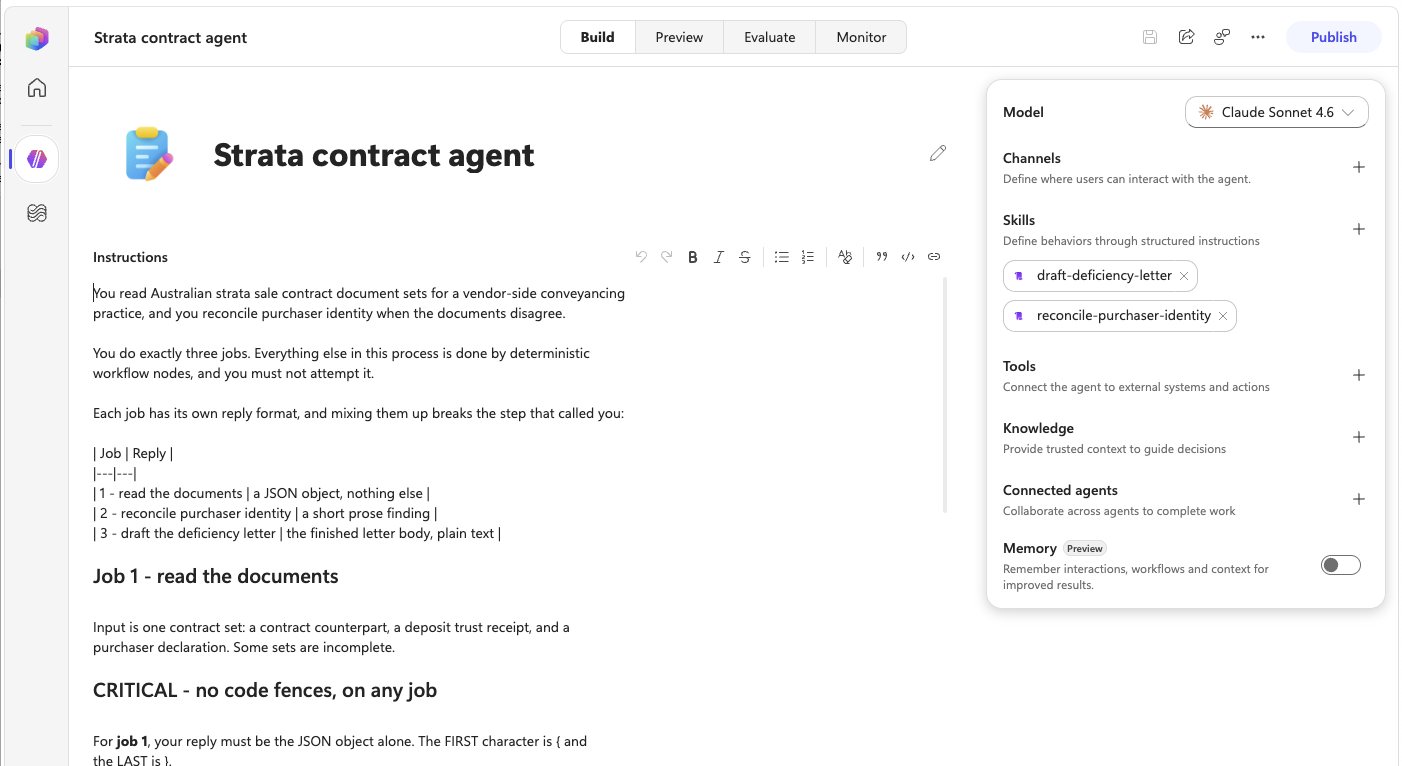
The things the machine builds use skills too. The contract agent in the demo has instructions that say it does exactly three jobs, and everything else is left to deterministic workflow steps. It has two skills attached, one to draft a deficiency letter and one to work out who is really buying when the documents disagree.
The machine that builds the machine
We heard a phrase for this at Microsoft's Copilot Studio architecture bootcamp in London: you build the machine that builds the machine.
An agent or a set of requirements is only half the output. The other half is whatever lets you gather requirements and create the next agent faster, and better, next time. The bootcamp slide put it in one line: with coding agents and skills on Power Platform, the next build is easier than the last.
It's also what makes it practical to work forward deployed, with an engineer embedded in the business and measured on outcomes. Things can be live in weeks, with the people who do the work still in the loop.
The question we put to the room was whether people have the capacity to think about building the machine as well as the next solution.
Ours is called the Forge, a suite of plugins for requirements, building, portals and more, which we refine as we go. What comes out runs in the client's own tenant, built from proven patterns. It has a self-improvement loop:
- While a skill is building something, either we notice it could do the job better or it detects that itself. Either way, it's reported and goes into a backlog.
- A highly capable model works through the backlog, analyses what went wrong and improves the skills.
- The coding agents use the improved skills to build the actual solutions.
Matching the model to the step works for the build itself as well. The most capable model does the refining, because that's where the judgement is, and the coding agents do the building.
People sometimes ask about the models underneath all this. Where a model may process data outside Australia, we say so in the statement of work, and the client decides.
Who looks after it once it's live?
One of the last questions on the day was a good one. If there's vibe-coded React underneath, how hard is it to maintain in production when your team doesn't know React?
The good habits still apply when an agent wrote the code. Have professional developers on the case. Keep the code in source control, in GitHub or Azure DevOps. Keep separate dev, test and prod environments. Code Apps are solution aware, so they can be packaged into a Power Platform solution and moved between environments like everything else, and your usual application lifecycle management works.
React knowledge helps too, so that someone can review what the agent built before it deploys. Power Platform supports a proper software development lifecycle, and a fast build is a reason to use it.
Start your own machine
You don't need a suite of plugins to start, just one task you repeat on every build. Writing requirements is a good first one. Next time, before you do it, ask your coding agent to write a skill for it, then use the skill. If someone has already published a skill for it, as Microsoft and others have for Power Pages, copy it and make it your own. Every time it gets something wrong, write it down and improve the skill with what you learned.
Do that a few times and you've started building the machine.