

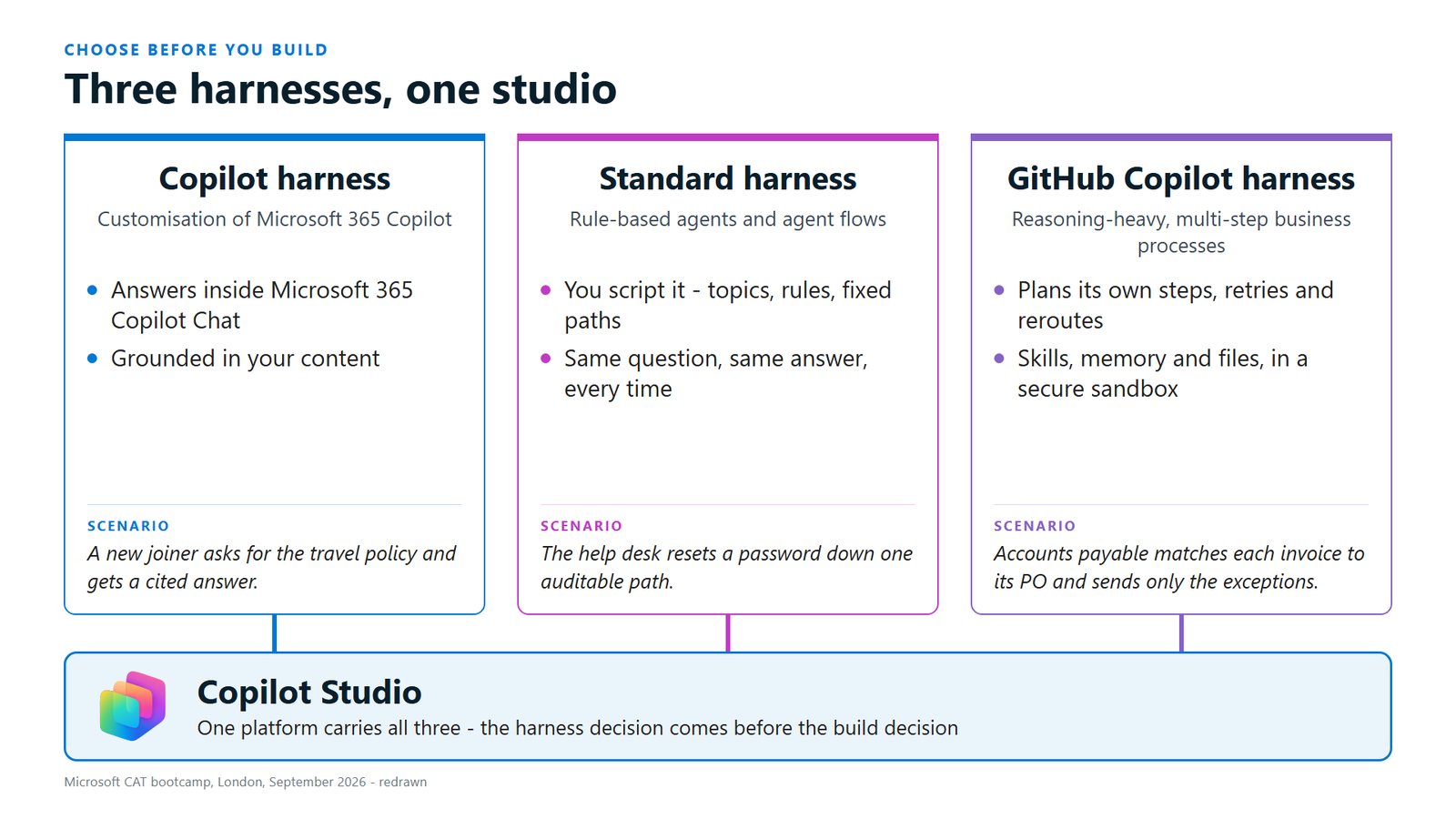
A year ago "harness" wasn't a word we used much. Now choosing one is the first decision you make when you build an agent in Copilot Studio, and it's easy to make without realising you have. At our online second AI wave session on 13 October, a couple of people were hearing about the GitHub Copilot harness for the first time, which is fair enough given how recently it left preview. Copilot Studio now has three harnesses, and the one you pick shapes everything that follows.
The engine and the chassis
The best analogy we've heard goes like this. The large language model, whichever one you're using, is the engine. The harness is the vehicle built around it: the chassis, the steering wheel and the body.
The harness controls the model, deciding what goes in and what comes out. Each harness also has its own way of working with people, and when you're automating a business process that's a big part of the decision. When someone says they're using ChatGPT or Claude, we've learned about the engine. Most of the build decisions live in the vehicle.
Why it matters that Copilot Studio lives in Power Platform
Copilot Studio is one tool in Power Platform, alongside Power Apps for web and mobile apps, Power Automate for workflows, Power Pages for secure websites and Power BI for reporting. Underneath all of them is Dataverse, one governed place for the data.
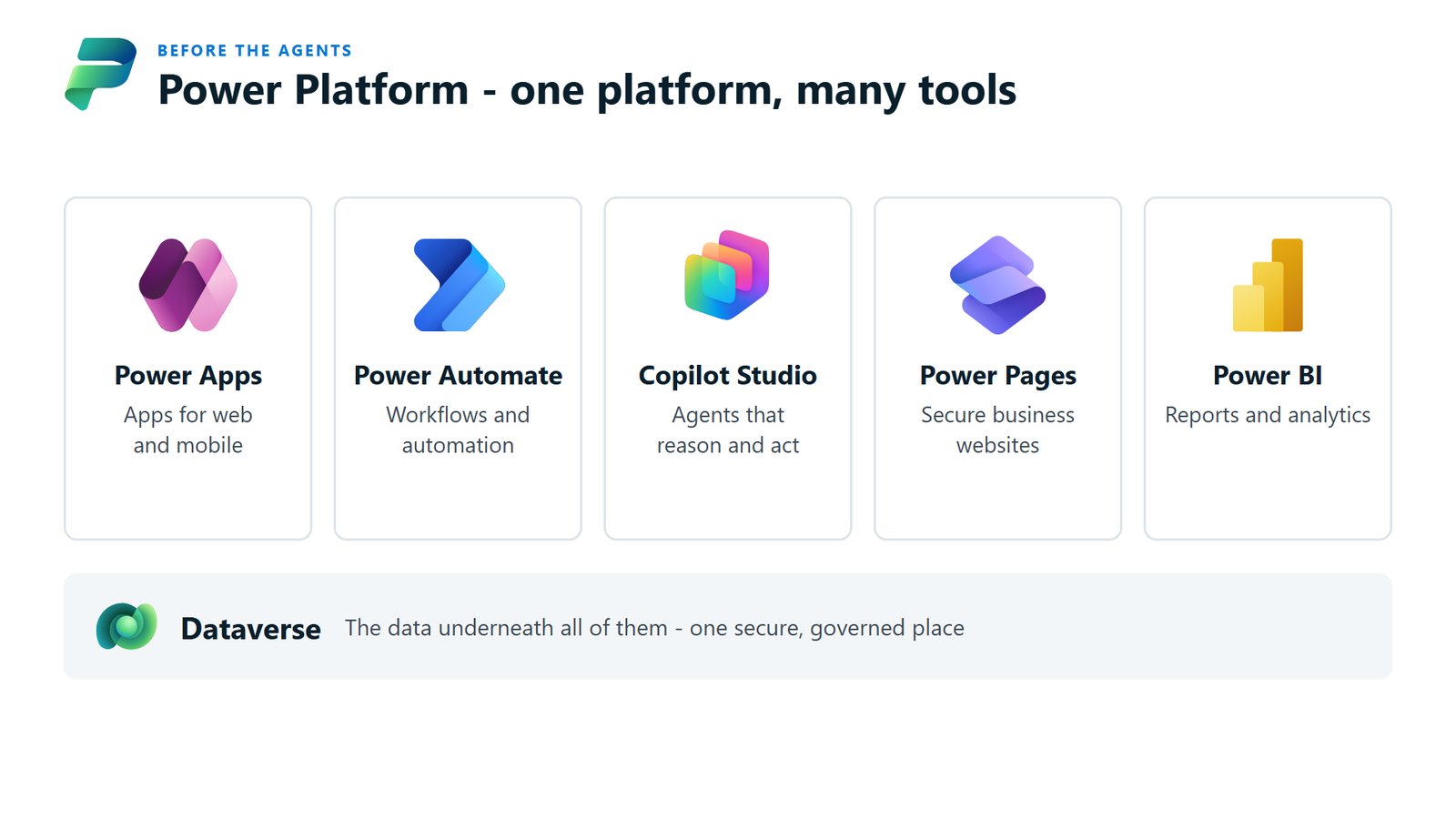
When an agent runs a business process, people still need to see what it's done, step in where it's unsure and sign off the decisions that are theirs. Because the agent's work lands in Dataverse, you can put an app on top for people to supervise it, report on it in Power BI or give clients a portal, the set-up in our piece on splitting a process between agents and people.
Two harnesses you've probably already used
If you've opened Microsoft 365 Copilot and filled in the Agent Builder screen to create an agent, you've built in the Copilot harness. It's good for employee questions, such as a new joiner asking for the travel policy and getting an answer with the source cited. For process automation it comes into its own when the work lives in one person's world: their calendar, the documents they're working on and Microsoft Graph, the data that ties together their email, meetings, files and colleagues. Developers building on it now have Work IQ Dev Tools, which are in preview.
The standard harness is what Copilot Studio was until Microsoft released the newest one earlier this year. It grew out of Power Virtual Agents and works through topics, which are conversation paths that start based on what the person asks. That heritage makes it very good at turn-based conversation. When someone types "I'd like to reset my password", you can send them down one path that you control step by step and can audit afterwards. Helpdesks, customer service and question-and-answer agents all suit it, including at large banks, because the same question gets the same answer every time.
At Microsoft's architecture bootcamp in September, plenty of people asked whether the standard harness would be retired now the new one is here. The answer for now was a clear no. When you need that much control over a conversation, it's still the right vehicle.
The GitHub Copilot harness
The newest harness has a name that confuses people, because it isn't GitHub Copilot the coding assistant. It's a harness inside Copilot Studio, and it's where Microsoft is taking agentic solutions on the platform.
It's built for reasoning-heavy, multi-step business processes. The bootcamp example was accounts payable: the agent matches each invoice to its purchase order and sends only the exceptions to a person, and everything that lines up goes straight through.
It plans its own steps, and it retries and reroutes when something doesn't go to plan. It works with skills, memory and files inside a secure sandbox. Skills are packaged instructions for doing one task the same way every time. Memory means that if you chat with the agent and come back a few days later, it knows where you got to, which the older harness couldn't do.
The mechanics in two sentences: the standard harness works out a plan up front and runs it, while the GitHub Copilot harness thinks, acts, looks at the result and goes around again until the job is done. That loop, which we've set against plan-then-run in more depth, is why it copes better with errors and changing conditions.
Billing for agents built in this harness began on 1 September 2026, and building consumes Copilot Credits as well as running. Plan for that from the start.
Choose the harness before you build
Many of the expensive mistakes we see start the other way around. Someone points an agent at a process, writes pages of instructions, and reaches for a bigger model when the results are average, before anyone has asked which vehicle the work belongs in.
Take one process you're thinking about automating and ask these questions:
- Is someone asking about their own work or your organisation's content, such as their calendar, their documents or a policy? Start with the Copilot harness.
- Is it a conversation where you want the same answer every time, down a path you can audit? Use the standard harness.
- Is it a multi-step process across systems, with some judgement in the middle and exceptions that need a person? The GitHub Copilot harness is built for it.
Once you've picked the vehicle, the next question is how much intelligence each step needs. Plenty of a business process is plain if-this-then-that and doesn't need an agent at all.